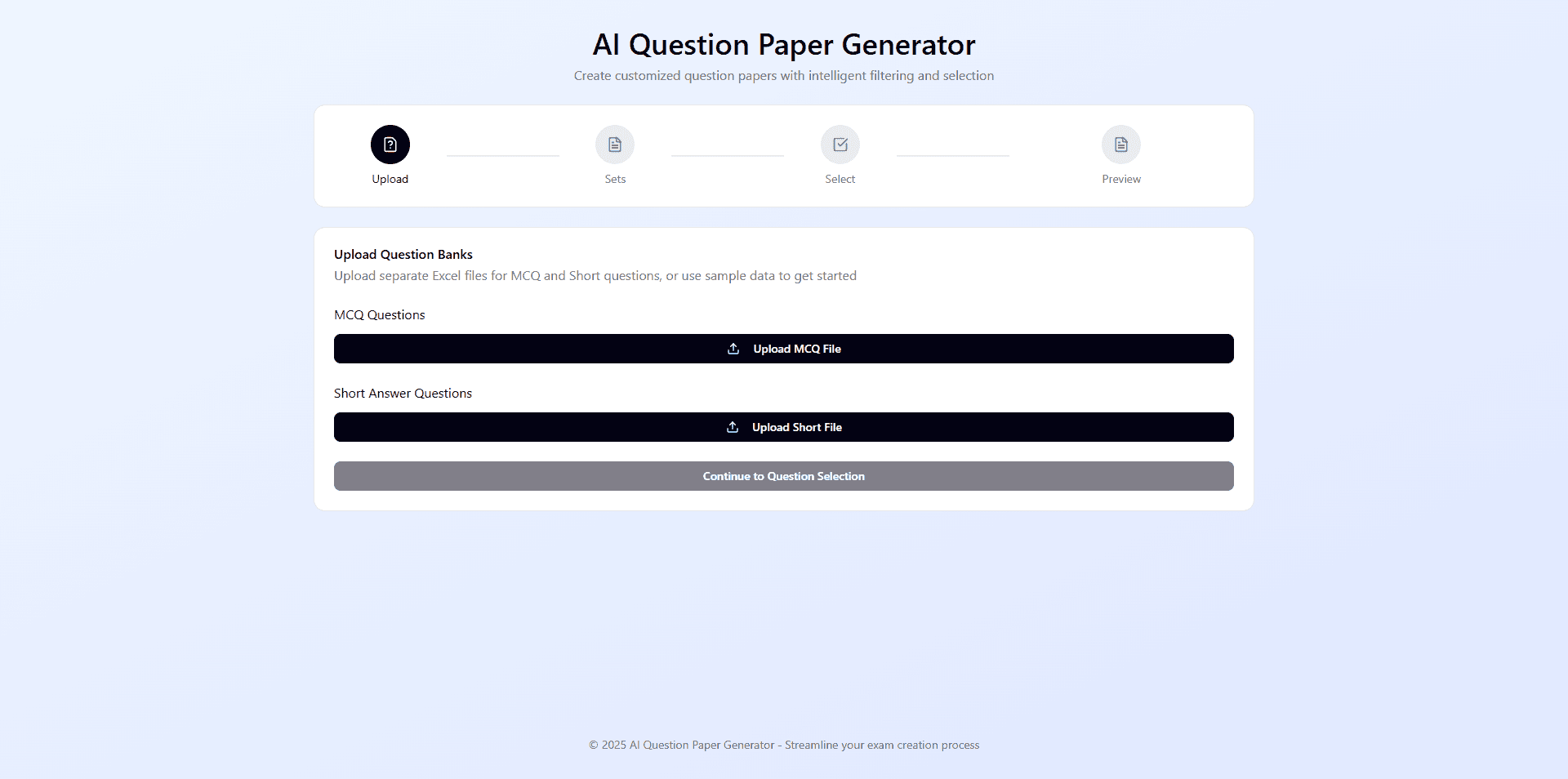
Overview
Universities still rely on manual workflows for creating examination question papers. Faculty members often copy questions from Excel-based question banks into university templates, create multiple sets without repeating questions, and prepare separate copies for students and the exam cell. This process is time-consuming, repetitive, and prone to formatting errors.
This project aims to simplify and automate question paper creation by helping faculty members quickly select questions, generate multiple sets, and export properly formatted PDFs with minimal manual effort.
Role & Duration
Lead UX Designer
User Research
|
Visual Design
|
Information Artitecture
|
Usability Testing
December 2025 - January 2026
The Problem
Universities still rely on manual methods for creating examination question papers, where faculty members copy questions from Excel-based question banks into predefined university templates. Creating multiple sets without repeating questions and preparing separate student and exam cell copies makes the process repetitive and time-consuming.
Frequent formatting issues, manual errors, and the effort required to manage COs and Knowledge Levels often increase workload and reduce efficiency for faculty members during examination preparation.
User Research
I interviewed faculty members involved in examination preparation to better understand the challenges they face while creating question papers. I also observed the existing workflow used across departments and identified several common pain points throughout the process.
My research revealed:
Faculty members spend significant time manually copying questions from Excel sheets into university templates.
Formatting issues frequently occur while preparing question papers.
Creating multiple sets without repeating questions is difficult and time-consuming.
Preparing separate student and exam cell copies increases repetitive work.
Managing COs and Knowledge Levels manually often leads to errors and inconsistencies.
The overall workflow is repetitive, inefficient, and prone to human error.
Qualitative Interviews
User research played an important role in understanding the challenges faculty members face during examination preparation. Since the primary users were university faculty, I conducted interviews to learn about their workflow, frustrations, and the difficulties involved in creating multiple question paper sets manually. These insights helped identify key pain points and understand how a digital solution could simplify question selection, reduce errors, and improve the overall efficiency of the examination paper creation process.

“Creating question papers manually takes a lot of time, especially when we have to prepare multiple sets and maintain the university format. Even a small formatting mistake can create problems during submission.”
— Assistant Professor, Multimedia Department

“Managing COs, Knowledge Levels, and separate exam cell copies manually becomes repetitive and confusing. We often spend more time formatting the paper than actually selecting the questions.”
— Assistant Professor, Multimedia Department

“While creating multiple question paper sets, avoiding repeated questions is one of the biggest challenges. The entire process feels tedious and increases the chances of human error.”
— Assistant Professor, Multimedia Department
Insights
After conducting user interviews and analyzing the existing workflow, the insights were grouped into three major problem areas:
Time-Consuming Manual Workflow
Faculty members spend a large amount of time copying questions from Excel sheets, arranging them into university templates, and preparing multiple versions manually.
Formatting & Human Errors
Frequent formatting inconsistencies, missing details, and repeated questions often occur during the manual paper creation process, especially while generating multiple sets.
Difficulty Managing Multiple Sets & Criteria
Creating multiple unique sets while maintaining COs, Knowledge Levels, marks distribution, and separate exam cell copies becomes complicated and increases cognitive load for faculty members.
User Persona
The research revealed common behaviors and challenges among faculty members during examination preparation. Based on these insights, I created a primary user profile that represents the goals, needs, and pain points of the target users.

Sandip Dey
Age : 38
Occupation : Assistant Professor
Experience : 10+ Years in Higher Education
Tech Comfort : Moderate to High
"I want to focus on creating quality assessments, not spending hours formatting question papers."
Bio
Sandip is an experienced Assistant Professor who prepares question papers as part of the academic assessment process. He values accuracy and consistency but often spends considerable time selecting questions, maintaining CO and Knowledge Level coverage, and ensuring proper formatting.
Goals
Create question papers quickly
Generate multiple sets without repetition
Maintain proper university formatting
Manage COs and Knowledge Levels efficiently
Pain Points
Time-consuming manual workflow
Formatting inconsistencies
Repeated questions across sets
Difficulty managing multiple copies and criteria
Conceptualization
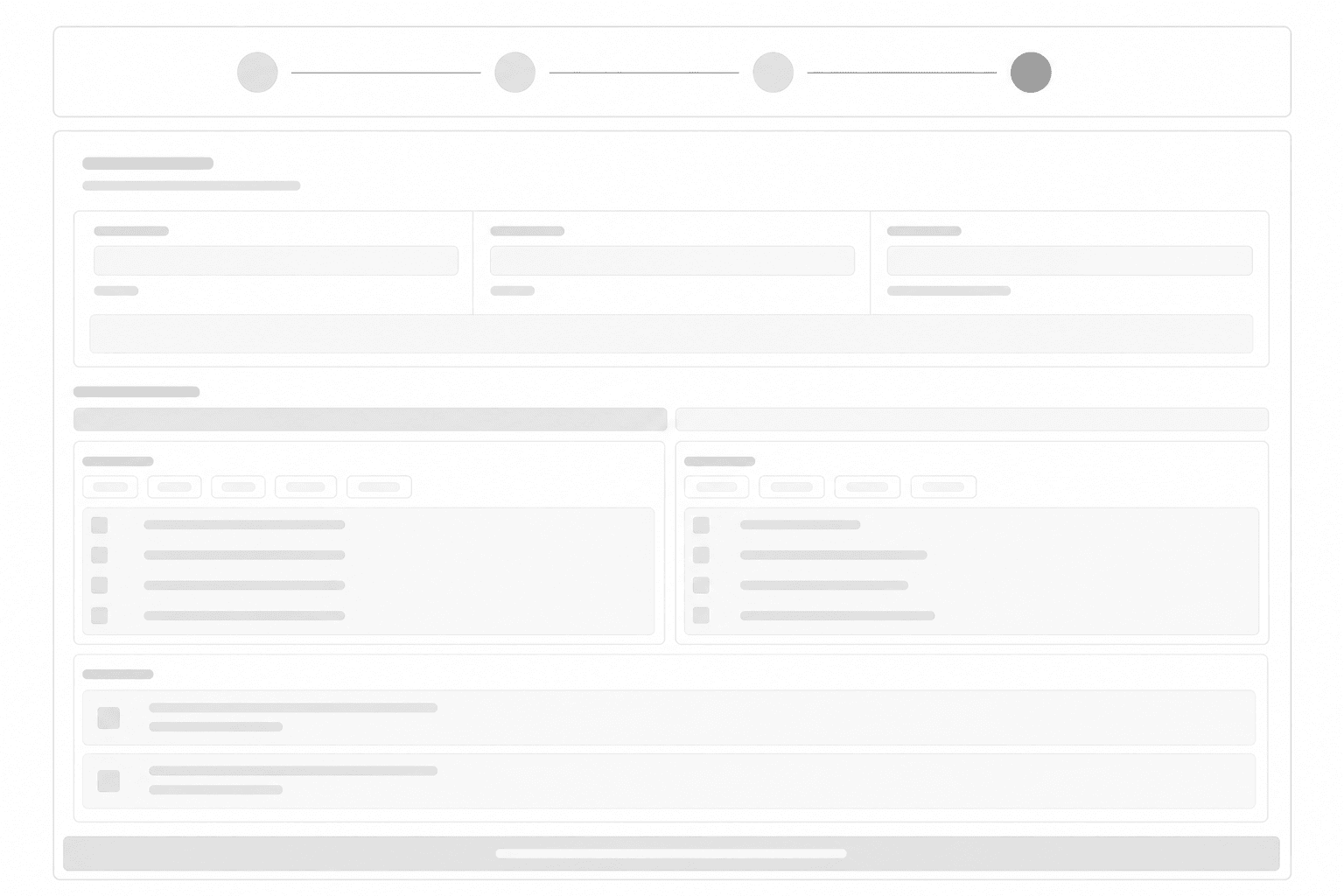
I started by mapping the useflow and creating the information architecture for the question paper generation process. Low-fidelity wireframes were designed to simplify core tasks such as question selection, filtering, set generation, and PDF export.
Information Architecture (IA)
A clear information architecture was created to streamline the journey from question bank upload to final PDF export.

User Flow
A clear user flow was designed to streamline the process of creating question papers, from uploading question banks to exporting finalized exam-ready PDFs.

Low-Fidelity Wireframer



The Solution
The Question Paper Generation System helps faculty members create examination papers faster through a simple and structured workflow.
Faculty members can upload question bank, filter questions based on COs, Knowledge Levels, marks, and question types, and generate multiple unique sets without repetition. The system automatically formats the papers according to university guidelines and generates separate student and exam cell copies with downloadable PDFs, reducing manual effort and minimizing formatting errors.
Easy Question Upload & Organization
Faculty members can easily upload question banks through Excel files. The system automatically organizes questions based on type, marks, COs, and Knowledge Levels, making it easier to browse and manage large question banks without manual sorting.
Multiple Set Generation & Question Tracking
The system allows faculty members to create and save multiple question paper sets without repeating questions. It also provides clear indications of which questions have already been used in previous sets, helping maintain uniqueness and reducing manual cross-checking.
PDF Export
Once the question paper is finalized, the system automatically generates downloadable PDF copies for both students and the exam cell. The papers are formatted according to university guidelines, reducing formatting errors and saving significant preparation time.
Results
After usability testing and prototype validation, the system showed positive responses from faculty members during simulated examination workflows.
67%
of users were able to create question paper sets without assistance.
13 mins
Average time taken in Creating Multiple Question Paper Sets
90%
of users said the automated formatting and PDF generation significantly reduced their workload.
100%
of participants found the filtering and question selection process faster than the existing manual workflow
98%
Formatting error reduced.
Project Learnings
This project helped me understand how deeply inefficient manual workflows can affect productivity in academic environments. Through user research and usability testing, I learned the importance of designing systems that reduce repetitive tasks, minimize human error, and simplify complex workflows.
I also gained experience in workflow mapping, information architecture, and designing productivity-focused interfaces for real users. Most importantly, the project reinforced the value of building practical solutions that solve everyday operational problems rather than focusing only on visual design.
Thank you